Muddog app settings
Select Settings at the top to manage the app language and VPN connection options. After changing values, click Save changes to save them.
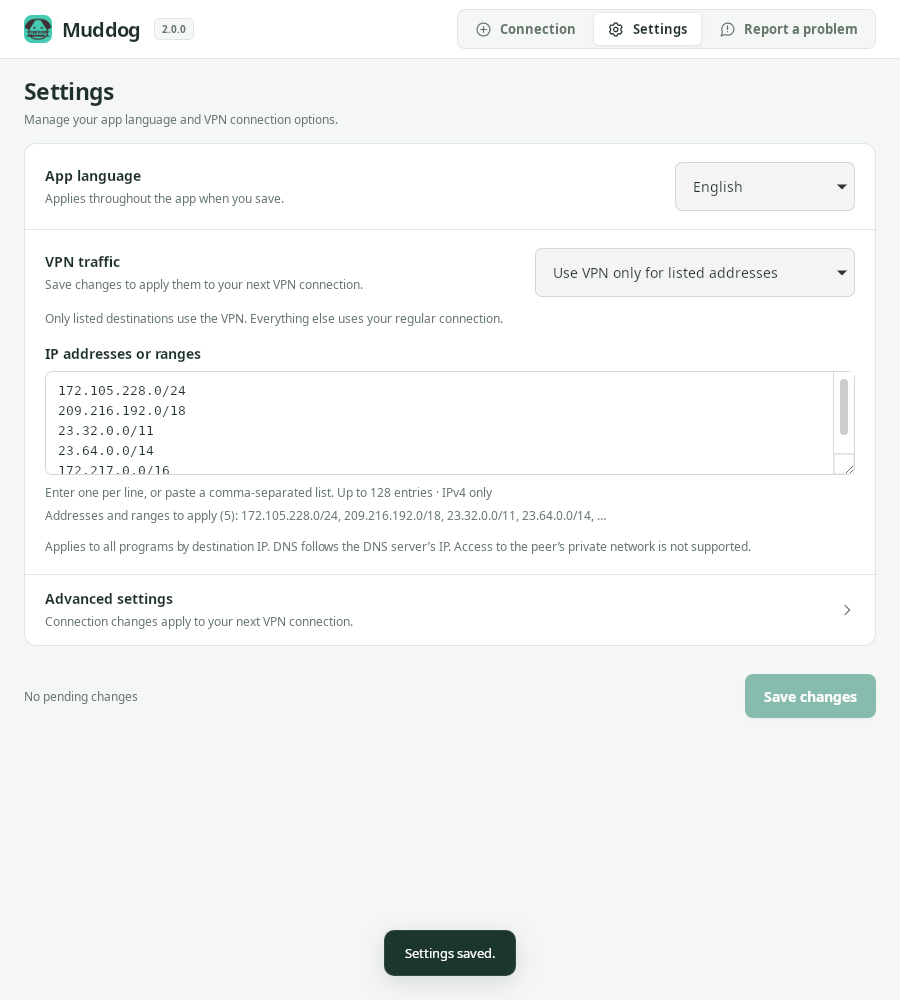
Settings — Muddog 2.0.0 (Linux)
App language
Choose a language under App language and click Save changes. It applies throughout the app when saved and is kept for the next launch.
Supported languages are Korean, English, German, Spanish, Portuguese, Russian, Malay, Japanese, Vietnamese, Thai, Simplified Chinese, and Traditional Chinese. Error details returned by the operating system or connection service and raw JSON logs may appear in their original language.
VPN traffic
Choose all internet traffic, include specific IPs and ranges, exclude specific IPs and ranges, or per-app VPN. Per-app VPN is supported on Linux and Windows and cannot be selected on macOS. See VPN traffic for detailed instructions.
The saved mode applies to your next VPN connection. If you are connected, return to the Connection screen, disconnect, and reconnect.
Advanced settings
Expand Advanced settings to change the connection server and packet size or view logs. For normal use, keep the default server and MTU.
| Setting | Description |
|---|---|
| Connection server | The address of the server used to find peers. The default is https://dog-api.mudfish.net. This setting does not select a destination country. |
| Packet size (MTU) | The packet size used by the VPN. The default is 1350, and the allowed range is 576 to 1400. |
| Connection and relay logs | Click View logs to look up sharing records stored on this computer. |
The connection server uses an HTTPS address. After saving a server or MTU change, it takes effect on your next personal VPN connection. It does not change the settings of internet sharing that is already running.
Restore defaults
- Expand Settings → Advanced settings.
- Click Restore defaults.
- Click Save changes.
- If you were connected to the VPN, disconnect and reconnect.
This button restores only the connection server and MTU to their defaults. It does not reset the app language, destination country, VPN traffic mode, or list of IP addresses and ranges.
Unsaved changes
Before you save, the app displays You have unsaved changes. Your draft settings are kept when you switch screens within the app, but save them before closing the app. If invalid IP addresses or ranges, or an MTU outside the allowed range, prevent saving, correct the input errors shown on screen.
The Destination country on the Connection screen is saved separately as soon as you select it.