How to access SOCKS proxy
Each Mudfish node supports SOCKS v3, v4 and v5. SOCKS v5 is available through the node's public IPv4 address with Mudfish ID / password authentication. SOCKS v3 and v4 require a connection through the node's private IPv4 address.
Using Public IPv4 address
SOCKS v5 is open publicly only with basic authentication based on Mudfish ID / password. But you can use it without installing Mudfish package. A example is as follows:
Find the node you want in the staticnodes array returned by the
node API, and use its ip value as the
proxy address. Use TCP port 18081 and your Mudfish ID and password.
See Static node API response fields for the field meanings.
- Visits https://mudfish.net/server/status and checks 'US East (Miami - QudraNet)' name. It's 155.94.209.102.
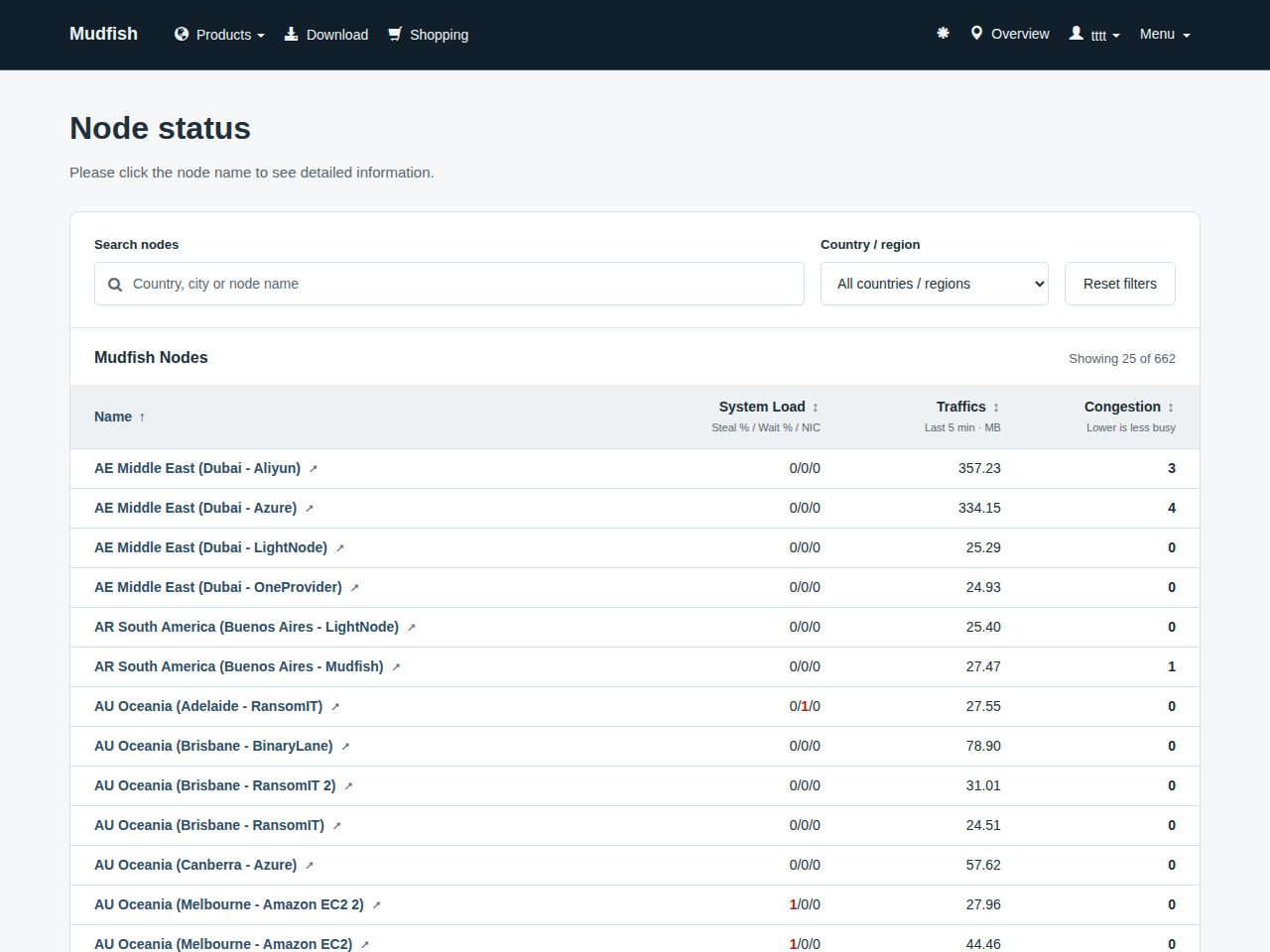
- So you can uses SOCKS proxy services with accessing IPv4 155.94.209.102 and port 18081 with authentication enabled.
Using Private IPv4 address
To access SOCKS v3, v4 or v5 proxy of each Mudfish nodes, you should use node's private IPv4 address not public. For example, if you'd like to access 'US East (Miami - QudraNet)' mudfish node, you can access as follows:
- Visits https://mudfish.net/server/status and clicks 'US East (Miami - QudraNet)' name. Then the inner frame will be shown.
- At inner frame, you can find 'Internal IP' of node pointing 10.249.96.1.
- So you can uses SOCKS proxy services with accessing IPv4 10.249.96.1 and port 8081.
Please be aware that as you already know, SOCKS proxy with Private IPv4 address is only available while Mudfish is running.
Static node API response fields
The node API returns the node list as JSON. A successful response has the following structure. This example contains only one node. The list and addresses can change, so check the latest API response when configuring your connection.
{
  "status": 200,
  "staticnodes": [
    {
      "sid": 421,
      "hostname": "node-ae-00421.mudfish.net",
      "ip": "47.91.122.48",
      "private_ip": "10.228.224.1",
      "location": "AE Middle East (Dubai - Aliyun)",
      "commercial_node": 1,
      "commercial_node_premium_enabled": 1
    }
  ]
}
Top-level fields
| Field | Type | Description |
|---|---|---|
status | Integer | The result of the API request. 200 means the node list was retrieved successfully. This value is part of the JSON body; it does not indicate the connection status of an individual node. |
staticnodes | Array | A list of node information objects. Each entry represents one node. |
Per-node fields in staticnodes
| Field | Type | Description |
|---|---|---|
sid | Integer | The server ID Mudfish uses to identify the node. It is not a proxy address or port number. |
hostname | String | The node's hostname, such as node-ae-00421.mudfish.net. |
ip | String | The node's public IPv4 address. Use this as the proxy address when connecting to SOCKS v5 from an external network. |
private_ip | String | The node's private IPv4 address inside the Mudfish VPN. Use it to reach the proxy through the internal network after connecting to Mudfish VPN. |
location | String | The node's display name, including details such as country code, region, city, and provider. In the example, AE Middle East (Dubai - Aliyun) identifies an Aliyun node in Dubai, United Arab Emirates. |
commercial_node | Integer | Whether the node is paid: 1 means a paid node and 0 means a test node. |
commercial_node_premium_enabled | Integer | Whether the node is classified as premium: 1 means premium and 0 means that classification does not apply. This distinction is used when determining which nodes a voucher permits you to use. |
commercial_node and commercial_node_premium_enabled are returned as
integers 1 / 0, not JSON booleans true / false. They describe node
classifications, not SOCKS support, real-time speed, or latency.
Values to use for SOCKS settings
| Connection method | Proxy address | TCP port | Authentication and requirements |
|---|---|---|---|
| SOCKS v5 from an external network | ip | 18081 | Authenticate with your Mudfish ID and password. |
| Through the Mudfish VPN internal network | private_ip | 8081 | You must be connected to Mudfish VPN. |
The API response does not contain proxy ports or user credentials. Find the
node you want by its location, then use the address and port appropriate
for your connection method.