Expert Mode
Expert Mode is a simple option to turn on more advanced features of Mudfish. At this moment, enabling the expert mode show the following features:
- CLI (Command Line Interface)
- Connection Protocols using other ports.
- Creating Custom Item
- Packet Dump
- WPAD
How to enable
At 'Account → Edit Profile' menu, you can enable 'Expert Mode'. Or simply click the following URL:
In Mudfish v5 / v6, open the person icon in the upper-right corner of the dashboard and select Edit Profile. In Mudfish v4, use Setup → Account → Edit Profile.
Enable Expert Mode and save the settings.
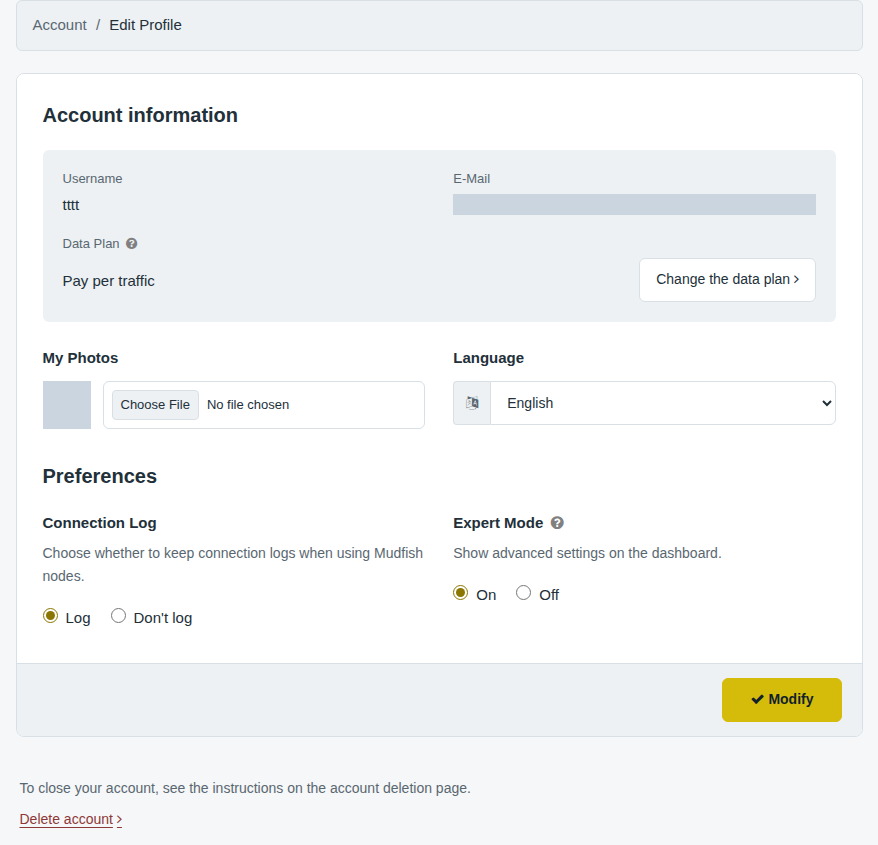
Log out and sign in again to apply your changes. Session caching may otherwise prevent the updated setting from appearing immediately.