App and domain rules
On Windows and Linux, app and domain rules control which DNS requests use Mudfish and which web connections receive optional web protection. The rules affect DNS even when web protection is off. Requests outside the selected scope use their original path and may be unencrypted.
Open Settings → DNS & web protection scope to edit the rules.
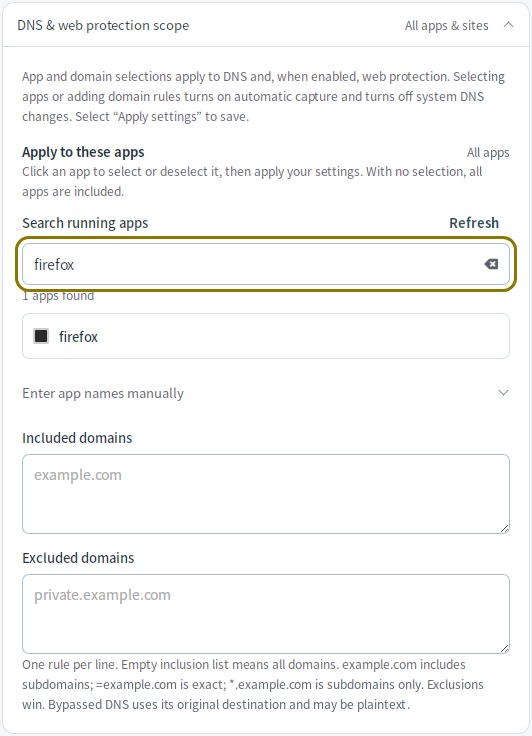
Choose apps
An empty app list includes all apps. Select apps from the list or use
Enter app names manually. Windows and Linux use executable filenames
(for example, firefox.exe on Windows or firefox on Linux), without paths or
command-line arguments.
Add domain rules
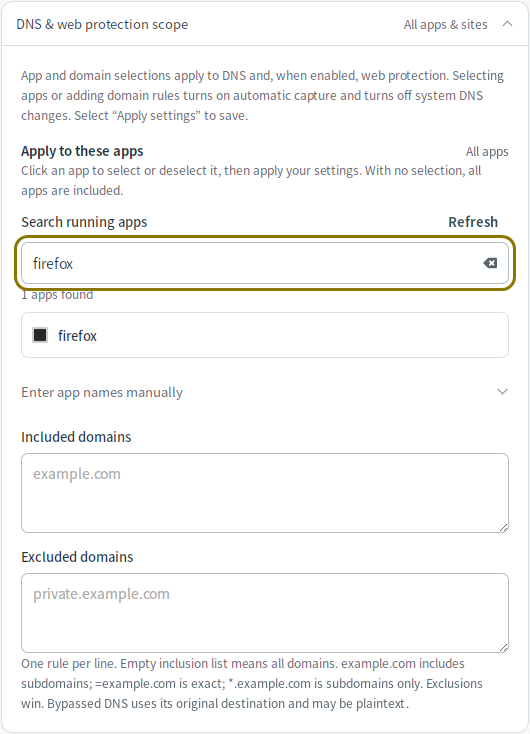
Enter one domain rule per line in Included domains or Excluded domains:
| Rule | Matches |
|---|---|
example.com | The domain itself and its subdomains. |
=example.com | Only that exact domain. |
*.example.com | Subdomains only, such as www.example.com. |
An empty inclusion list includes all domains. Exclusions take priority over
inclusions. Enter domain names, without https:// or a URL path, and select
Apply settings after editing.
Apply the rules
Selecting apps or adding domain rules enables automatic capture and turns off Change the system DNS while running. Select Apply settings to save the changes, then reopen existing connections.
On Linux, app/domain selection requires Linux 6.6 or later with eBPF. Selecting individual apps also requires cgroup v2 and kernel BTF support. DNS handled by a shared system resolver cannot always be attributed to the app that requested it.
To cover all apps and domains again, clear the app, inclusion, and exclusion lists and apply the settings. This keeps automatic capture enabled; see Connection settings to turn it off.