GamePing settings
If you are new to GamePing, you can test with the default settings. To open settings, select ☰ → Settings in the upper left.
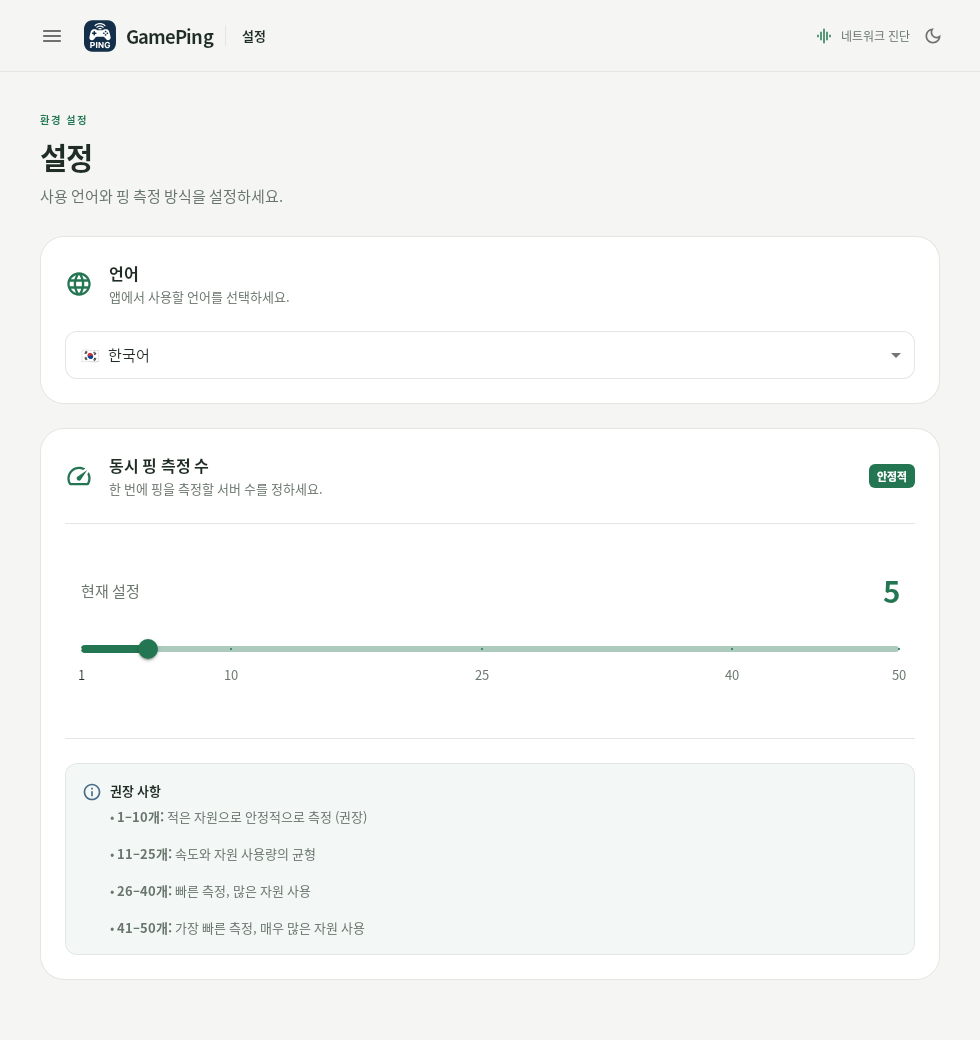
This screenshot is in Korean. 언어 (Language) is at the top; 동시 핑 측정 수 (Concurrent ping tests) is controlled by the slider below.
Change the language
Choose your preferred language under Settings → Language. The change takes effect immediately and is kept for the next launch.
If the app is in Korean, select ☰ → 설정 (Settings) → 언어 (Language) → English. Changing the language also reloads the game list, so allow it a moment to finish.
Switch between light and dark themes
Select the sun or moon button at the upper right of the app or near the bottom of the menu to switch between light and dark themes. The dark theme is Dark Mode and the light theme is Light Mode. This does not affect ping measurements.
Concurrent ping tests
Concurrent ping tests controls how many Mudfish relay nodes are tested at the same time. The default is 5, and the available range is 1–50.
A higher value can test the relay nodes more quickly, but it also gives your device and network more work to handle at once. This setting does not lower your game's ping, nor does it change the interval between direct ping tests to the selected game server.
- Under ☰ → Settings, find Concurrent ping tests.
- Move the slider to choose a value. It is saved when you release the slider.
- As instructed by the app, quit GamePing completely and open it again.
Start with the default of 5. If your device slows down or testing puts too much load on it, try a lower value such as 1–5.
If Could not save settings. appears, do not assume the change was saved. Reopen the app and check the value. If it keeps happening, report the problem.