Full VPN
If a Subscription account displays a message saying that it has no credits or is not authorized to use Full VPN, check that it has at least one paid item equipped. Use Item → Equip Items to equip a paid item. This is the minimum requirement for using Full VPN with Subscription.
This option is used for Mudfish to set it as Full VPN meaning redirecting all traffics from the desktop to Mudfish node. For details, please check Full VPN mode section.
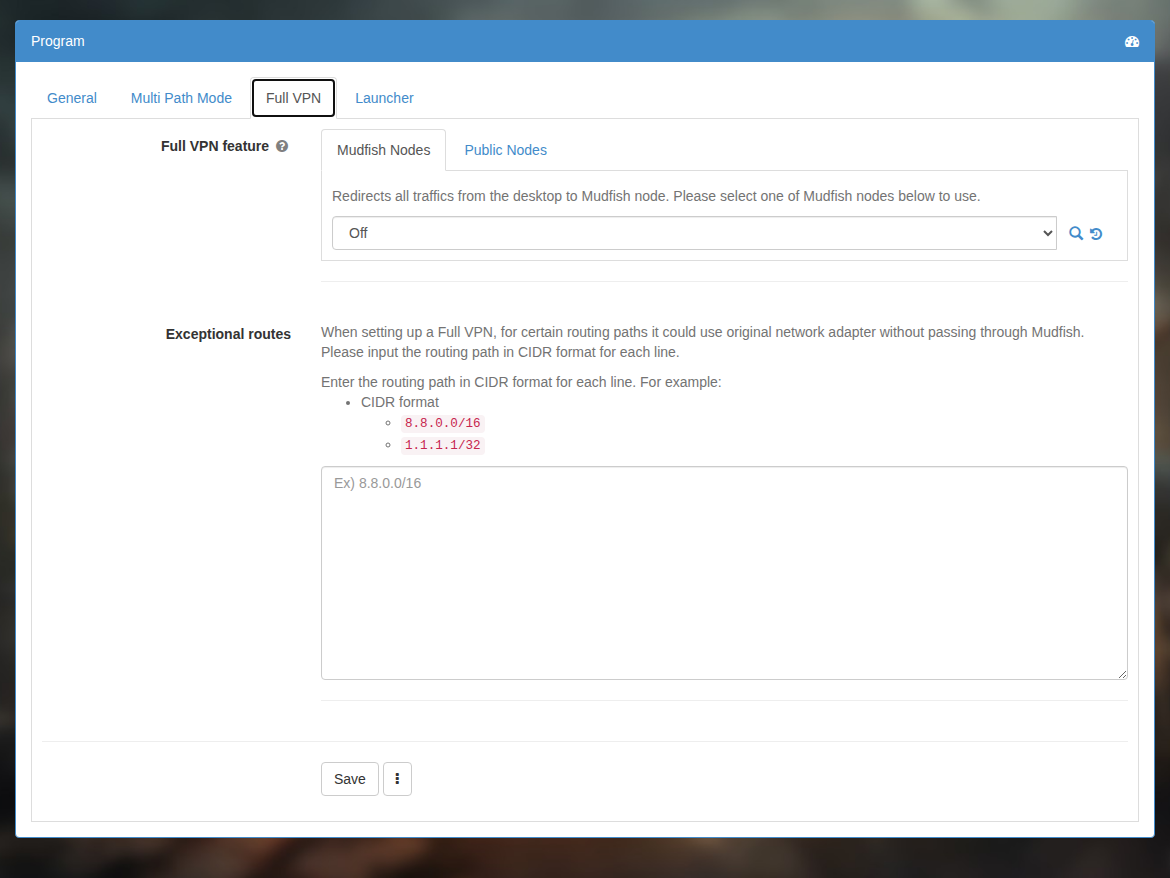
Exceptional routes
If you're using with WFP Item mode enabled, you can specify the process name for exclusion rules. For example, you can specify the process name as below:
- P:chrome.exe
- P:firefox.exe
When setting up a Full VPN, for certain routing paths it could use original network adapter without passing through Mudfish. Please input the routing path in CIDR format for each line.
Enter the routing path in CIDR format for each line. For example:
- 8.8.0.0/16
- 1.1.1.1/32
Full VPN - XP mode
This legacy option was removed in v5.5.8. The description below applies to older releases that include it.
Some Windows XP versions do not configure the routing table correctly when Full VPN is enabled. This option forces routing table configuration. It is intended only for Windows XP users.