Menu
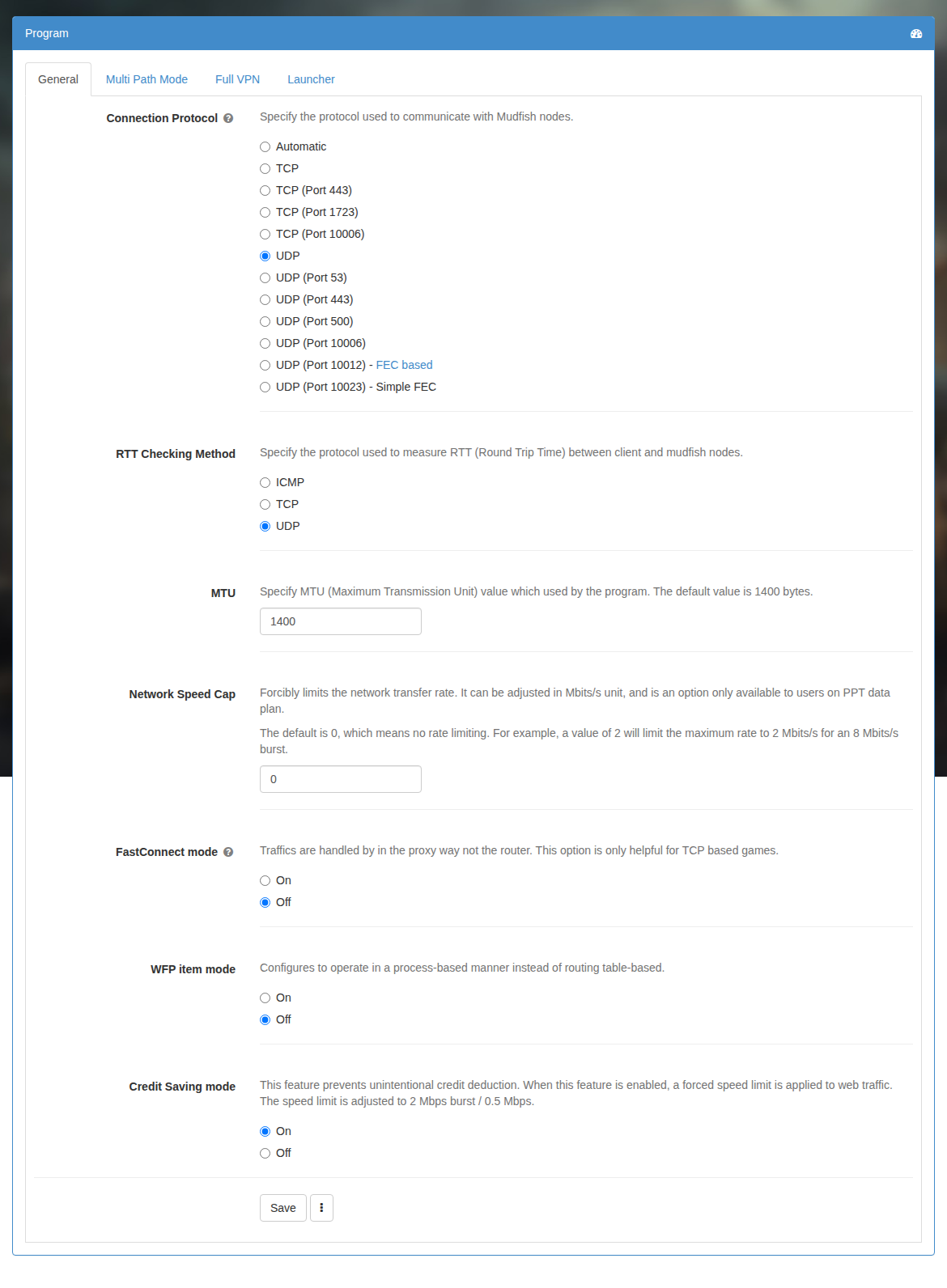
Connection Protocol
Specify the protocol used to communicate with Mudfish nodes. For details, please check Connection Protocols section.
The default protocol is UDP. TCP is also available, and enabling Expert Mode under Account -> Edit Profile exposes additional options. Try these options if a firewall blocks your connection.
RTT Checking Method
Specify the protocol used to measure RTT (Round Trip Time) between client and mudfish nodes.
The choices are ICMP, TCP, and UDP. This setting only changes how RTT is measured; it does not change your in-game ping. Try another method if a firewall blocks the measurements.
MTU
Specify MTU (Maximum Transmission Unit) value which used by the mudfish program. The default value is 1450 bytes.
Adjust it if the network path between your computer and the destination requires a smaller MTU.
Network Speed Cap
Forcibly limits the network transfer rate. It can be adjusted in Mbits/s unit, and is an option only available to users on PPT data plan.
The default is 0, which means no rate limiting. For example, a value of 2 will limit the maximum rate to 2 Mbits/s for an 8 Mbits/s burst.
FastConnect Mode
Traffics are handled by in the proxy way not the router. Please check FastConnect mode section for details.
NAT Open Mode
If you're playing the game which based on P2P (Peer To Peer) protocol, or matching the players takes too long, then this option could be helpful. For details, please check NAT Open mode link.
Credit Saving mode
This option is for Pay-Per-Traffic users. Subscription users do not need it. It helps prevent unexpectedly high usage caused by CDN or streaming traffic by limiting traffic on TCP ports 80 and 443.
This feature prevents unintentional credit deduction. When this feature is enabled, a forced speed limit is applied to web traffic. The speed limit is adjusted to 2 Mbps burst / 0.5 Mbps.