Finding Game Server Information with TCPView
Before submitting information collected with TCPView, check whether your game uses TCP or UDP. The method described here is intended for TCP-based games; please do not submit this information for a UDP-based game.
TCPView displays network connections for processes running on Windows. You can use the TCP connection information to identify a game's servers.
Download
Download TCPView from the Microsoft Sysinternals page.
Usage
-
Extract the downloaded archive to a directory and run
tcpview.exefrom that directory. It displays the current network connections and process information: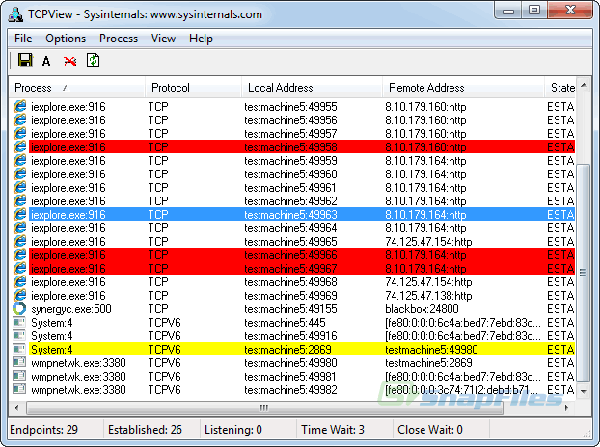
-
Find the game's process and check its Remote Address column to identify the game server's IPv4 address. For example, the World of Warcraft process is
WoW.exe.