GamePing
GamePing checks how long it takes for your device to communicate with a game server. It is provided by Mudfish Networks and is free to use. You can also learn about it on the GamePing website.
Select a game and a server location to start measuring. You do not need to type commands, remember server addresses, or sign up or log in to test your ping.
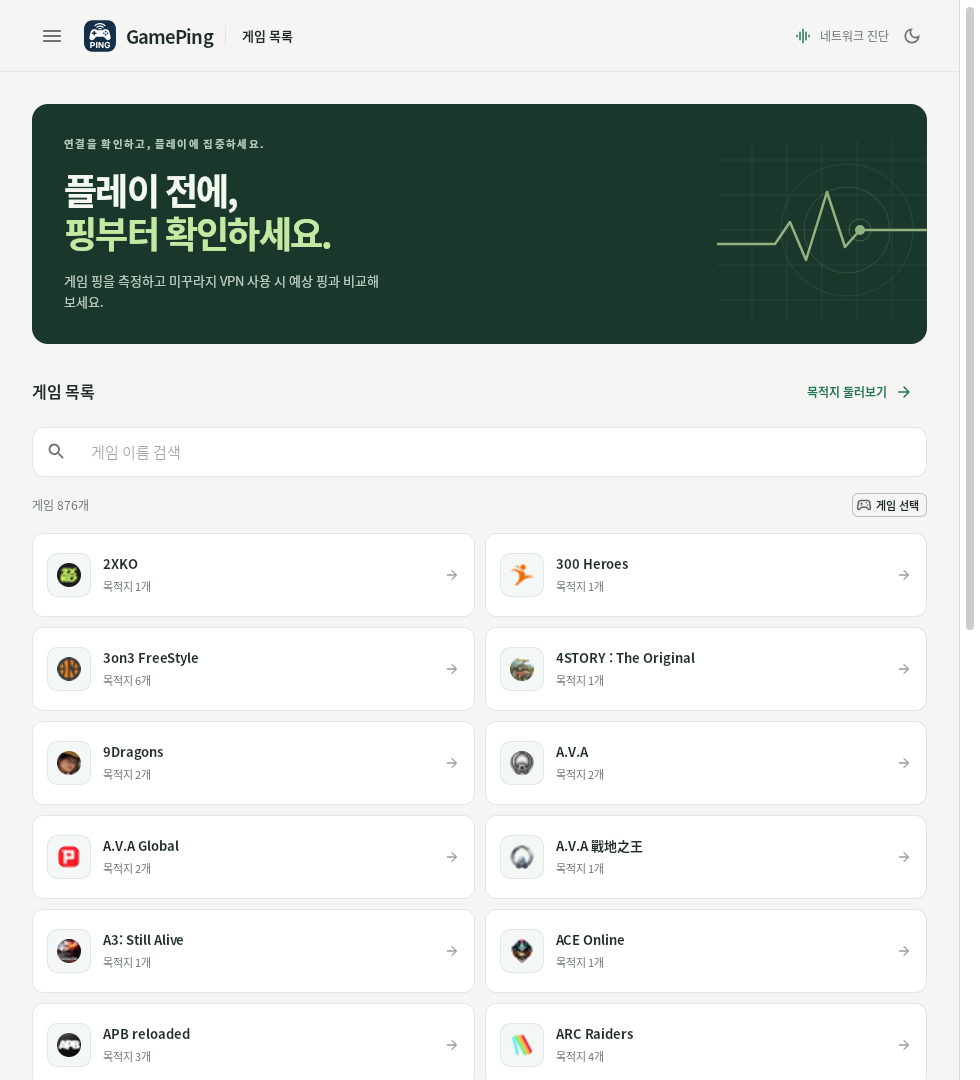
The game library shown when GamePing opens. This screenshot is in Korean: 게임 목록 means Game library. The Korean screenshots in this guide were captured in GamePing 0.1.7 for Linux. Appearance may vary by device and version.
Click a screenshot to view it at its original size.
What is ping?
Ping is the time it takes for your device to send a signal to a server and receive a response. It is also shown as RTT, in ms (milliseconds). There are 1,000ms in one second, so 50ms is 0.05 seconds.
For the same server, a lower ping generally means a faster response. Sudden increases or large fluctuations can help you investigate delayed responses in a game. Ping alone, however, does not explain every kind of stuttering or lag.
Start here
- Follow Installation to install GamePing on your device.
- Open the app. If it is in Korean, select ☰ → 설정 (Settings) → 언어 (Language) in the upper left, then choose English.
- Choose your game from Game library, then select the server location you normally use.
- Watch Current ping, Average ping, and the Live ping graph update automatically.
You can leave the settings at their defaults. For detailed steps, see Your first ping test.
What can you check?
| Question | Where to look |
|---|---|
| How quickly is the game server responding now? | Current ping, Average ping |
| Is my ping steady, or does it spike? | Std Dev, Live ping graph |
| Have any measurements failed? | Recent measurement failure message |
| Could Mudfish VPN improve my ping? | Estimated routes with Mudfish VPN |
GamePing measures your connection. Simply running the app does not lower your game's ping or connect you to a VPN. Mudfish VPN is a separate service, and the VPN ping shown in GamePing is an estimate. See the difference between measurements and estimates.
Find the guide you need
| Task | Guide |
|---|---|
| Download and install the app | Installation |
| Select a game or region to test | Your first ping test |
| Understand the numbers and graph | Reading the results |
| Change the language, theme, or test settings | Settings |
| Fix problems with lists or measurements | Troubleshooting |
| Ask for help with diagnostic information attached | Reporting a problem |