Dashboard FAQ
The dashboard does not appear in my browser.
If you started Mudfish Launcher but cannot see the dashboard:
-
Check that you can access https://mudfish.net.
-
Check that you can also access http://ko.loxch.com.
-
Open the Mudfish installation directory in File Explorer, usually
C:\Program Files (x86)\Mudfish Cloud VPN. Openmudrun_stdout.txtin Notepad and look for messages marked FATAL, CRIT, ERROR or WARN. If you need help interpreting the log, post its contents as a private topic on the Mudfish forums.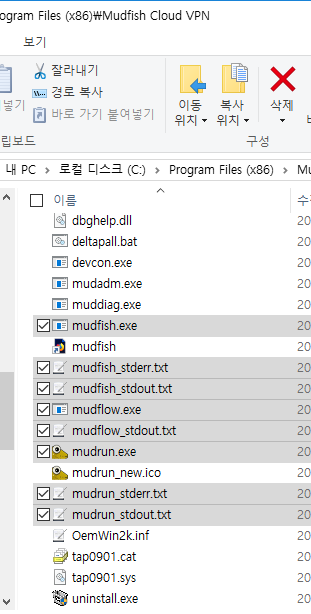
The screenshot uses Korean Windows; locate the
mudrun_stdout.txtfile by name.
The activity indicator always shows an X.
Completing configuration does not immediately turn the indicator into a check mark. It changes when Mudfish detects traffic through the routing-table entries created during configuration.
While playing your game, refresh the dashboard a few times. If traffic is passing through Mudfish, a check mark should appear. See the dashboard status explanation for more details.
Starting Mudfish opens an unfamiliar portal website.
Malware on the computer can cause this behavior. Scan the computer with your antivirus or anti-malware software, then try again.