Connecting from China FAQ
I cannot access the Mudfish website.
Blocking of the mudfish.net domain by Chinese authorities or ISPs was reported
from early August 2017. Use the HTTPS address:
Other VPNs connect, but Mudfish does not. What is wrong?
That symptom alone does not identify the cause. Send a problem report so support can investigate the connection.
Why is connecting from China difficult?
China's government places a high priority on public security. National and ISP-level network firewalls, including the Great Firewall, continually filter or block connections. Services such as Google, Facebook, LINE, KakaoTalk, Twitter and YouTube have been affected, and Mudfish is not exempt.
Mudfish provides application-level workarounds, but users may need to configure them for their particular network.
What should I try when Mudfish does not work?
Follow the network firewall guide and choose the steps that match your symptoms.
Is there one setting that fixes every case?
No. Network conditions and filtering change, so a single automatic workaround cannot cover every situation.
Is this particular situation limited to China?
This pattern was reported from China in the original troubleshooting guidance; it did not establish the situation in other countries.
How can I access YouTube, Facebook or Google from China?
The documented options are:
-
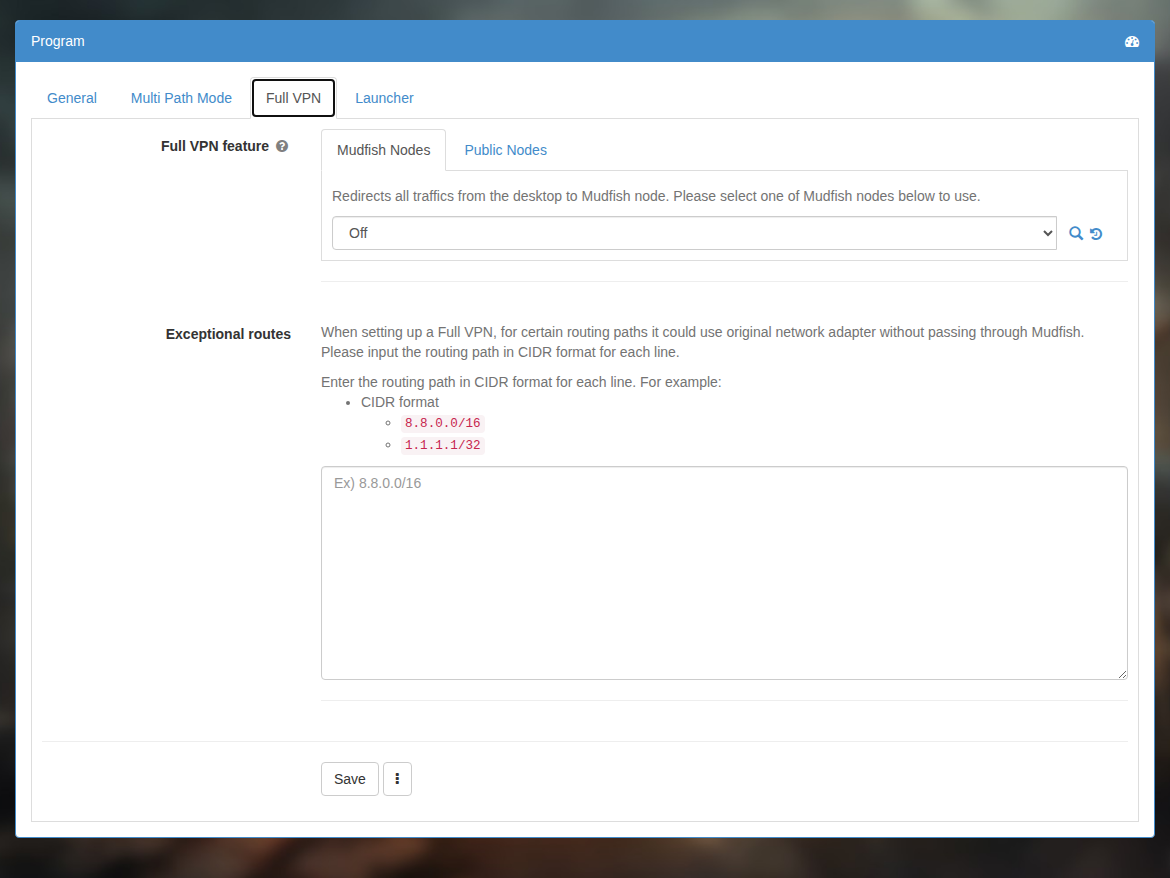
Full VPN mode. This is the simplest setup, but it routes all traffic from the computer through the selected node and may reduce connection speed.
-
Mudfish browser extension with Mudfish DNS Client. The extension alone does not prevent DNS poisoning by the Great Firewall; use DNS Client alongside it.
-
A Mudfish item with Mudfish DNS Client. If an item exists for the website, use it together with DNS Client.